
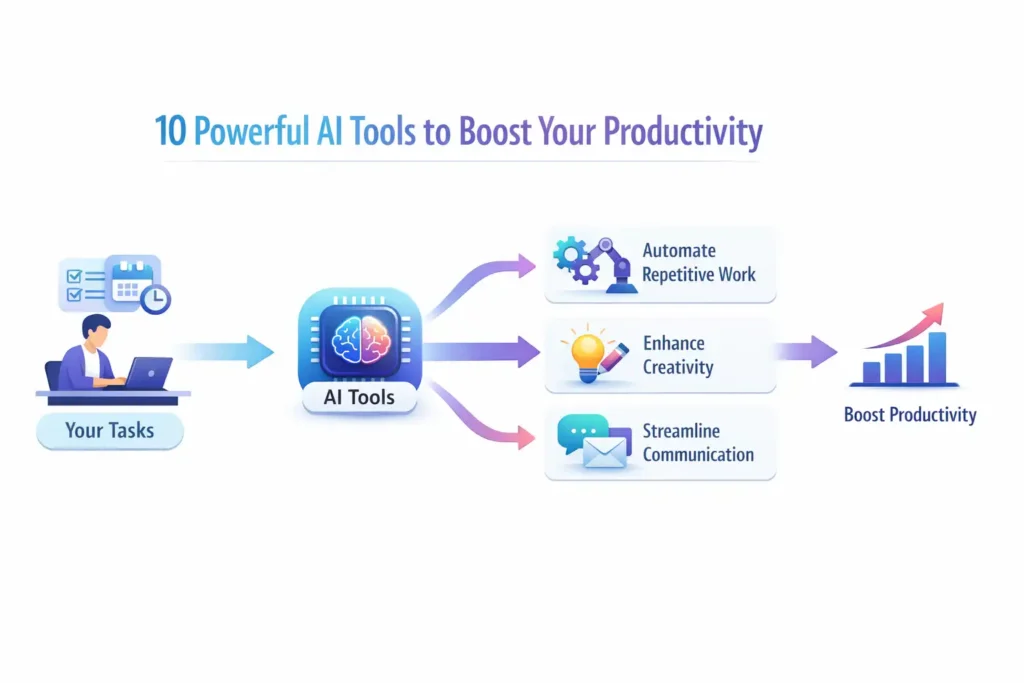
AI Tools for Productivity: Introduction
AI tools for productivity are beginning to change the game. Not long ago, I found myself buried under a familiar problem many professionals face today — too many tasks and not enough time. Emails to respond to, documents to write, research to perform, meetings to attend, and endless small tasks that quietly eat away at your day. From my experience working in IT for years, productivity has always been about working smarter, not just harder.
That’s exactly where AI tools for productivity are beginning to change the game. What most people don’t realize is that artificial intelligence is no longer something reserved for developers or data scientists. Today, AI tools are quietly becoming everyday assistants that help professionals write faster, automate repetitive work, summarize information, and even generate ideas in seconds.
In many enterprise projects I’ve worked on, the biggest productivity gains often come from small workflow improvements. AI tools are now making those improvements dramatically easier. Instead of spending hours on routine tasks, you can offload much of that work to intelligent systems that assist you in real time.
In this article, I’ll walk you through 10 powerful AI tools that can significantly boost your productivity, whether you’re a professional, developer, entrepreneur, or knowledge worker.
Table of Contents
What Are AI Tools for Productivity?
Before I walk you through the tools, I want to answer this question properly — because most articles get it wrong.
They define AI tools for productivity as “software that uses artificial intelligence to help you work faster.” That is technically accurate but practically useless. It is like defining a car as “a machine that moves you from place to place.” True. But it tells you nothing about whether you need a hatchback or a truck.
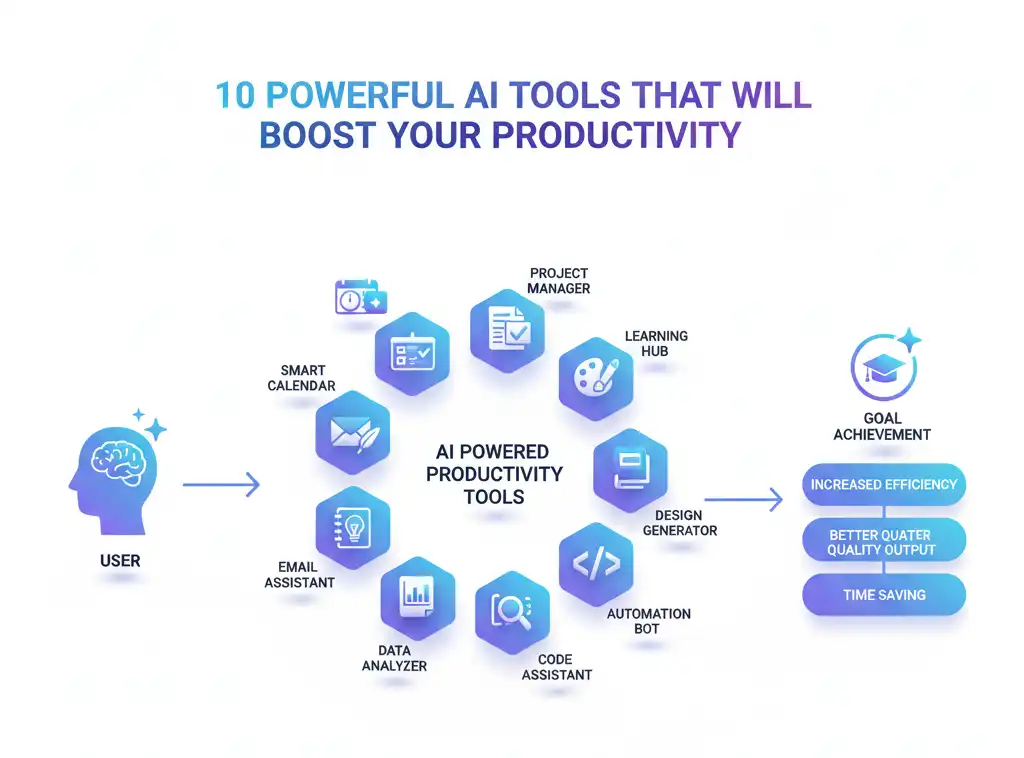
AI tools for productivity are software applications powered by machine learning and generative AI that reduce the time, effort, and mental load required to complete specific professional tasks — writing, coding, research, communication, scheduling, design, and workflow management.
The key word there is specific. The biggest mistake I see professionals make is treating AI tools as one-size-fits-all solutions. They are not. Each tool is built for a different type of work, and understanding that difference is what separates people who get real value from these tools from people who try them for a week and give up.
📌 In Simple Words
Think of AI productivity tools as a set of very capable specialist assistants. One is brilliant at writing. One is brilliant at coding. One is brilliant at summarising meetings. You would not ask your writing assistant to debug your code — and the same logic applies here. Match the tool to the task.
How AI Is Changing the Way We Work
From my experience working in IT across multiple industries — pharma, media and entertainment, retail, telecom, and automobile — the impact of AI on how work gets done is not uniform. It depends on the type of work, the data involved, and the organisation’s readiness.
But there are three changes I am seeing consistently across every environment.
First: The speed of first drafts has collapsed. Whether it is a project status report, a code module, a test case, or a presentation slide, the time from blank screen to working first draft has dropped dramatically. I used to budget two hours for a well-structured project update email to a steering committee. With the right AI tool and a clear prompt, that is now twenty minutes — with the additional benefit that the output is often better structured than what I would have written under time pressure.
Second: The skills floor has risen. This is something that does not get discussed enough. Junior team members on my current Java legacy modernisation project are producing code and documentation that would have taken them months longer to reach without AI assistance. GitHub Copilot is not replacing them. It is accelerating their learning curve in a way that no training programme I have ever run has matched.
Third: Information overload is being managed, not eliminated. We are not generating less data. We are generating more. What AI tools are doing is helping professionals extract meaning from that data faster — through summarisation, classification, and natural language querying. When I think about the hours I have spent in my career manually building Cognos and Business Objects reports that business users still could not interpret, tools like Google Gemini and Microsoft Copilot feel like a direct answer to a twenty-year-old problem.
💼 From My Experience
In one of my pharma client projects, the documentation overhead alone was consuming nearly thirty percent of the team’s available bandwidth. Meeting notes, requirement documents, status updates, compliance records. When we introduced AI-assisted summarisation and document drafting, that overhead dropped noticeably within the first month. The team did not get smaller — they got faster on the work that actually mattered.
Who Benefits Most from AI Productivity Tools
The honest answer is: almost every knowledge worker benefits, but the degree of benefit depends on your role and your willingness to invest time in learning how to use the tools well.
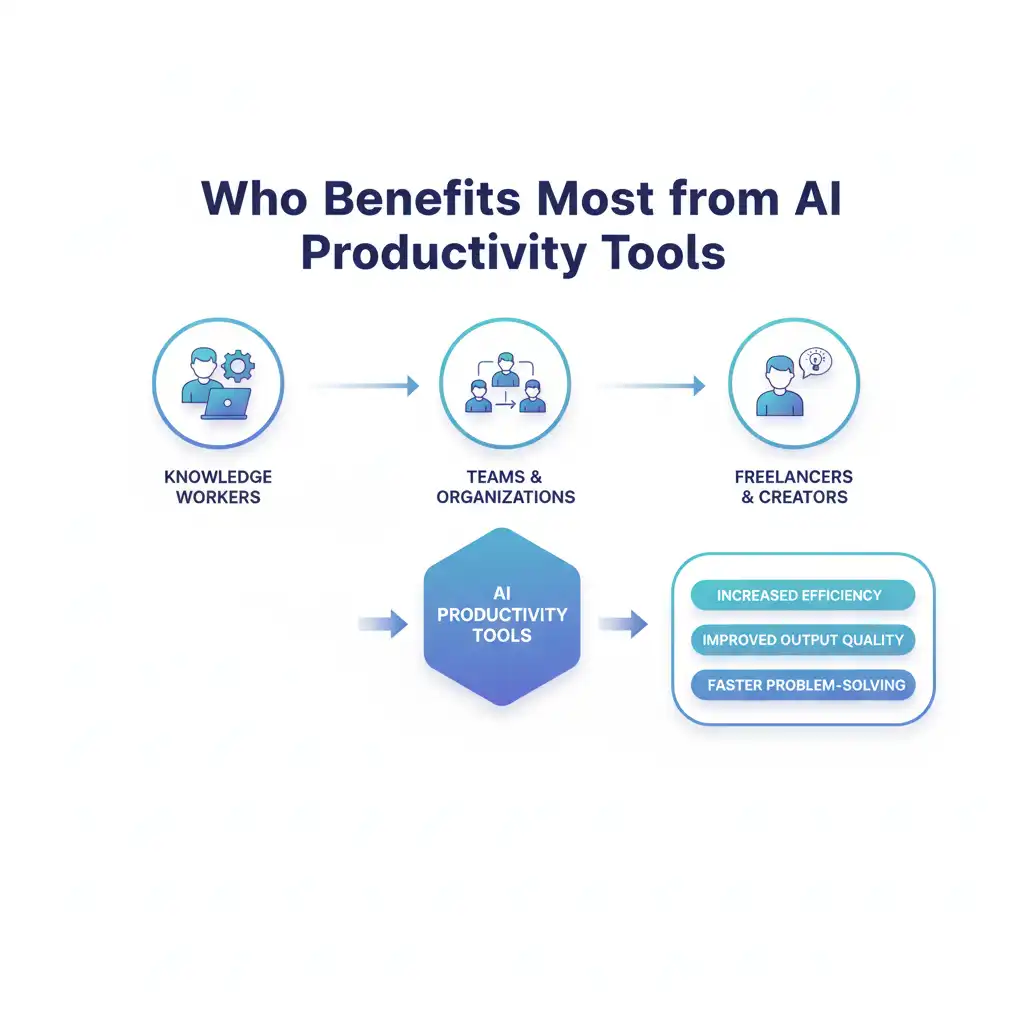
From my experience, the people who benefit most are:
Project Managers and Business Analysts who deal with large volumes of documentation, status reporting, stakeholder communication, and requirement gathering. AI tools for productivity transform these workflows more visibly than almost any other role.
Developers and Engineers who spend significant time on boilerplate code, code review, documentation, and debugging. GitHub Copilot and ChatGPT together can cut certain development tasks by a measurable percentage.
Marketing and Content Professionals who need to produce high volumes of written content, social media posts, email campaigns, and visual assets. Canva AI and ChatGPT are genuinely transformative for this audience.
Executives and Leaders who consume enormous amounts of information and need to produce clear, structured communication quickly. Microsoft Copilot in a properly configured Microsoft 365 environment is built almost specifically for this use case.
❓ Who should use AI productivity tools?
Anyone whose work involves writing, reading, researching, communicating, or creating benefits from AI productivity tools. Developers gain the most from coding assistants like GitHub Copilot, while project managers and analysts benefit most from tools like Microsoft Copilot and Otter.ai. The key is matching the tool to the specific task.
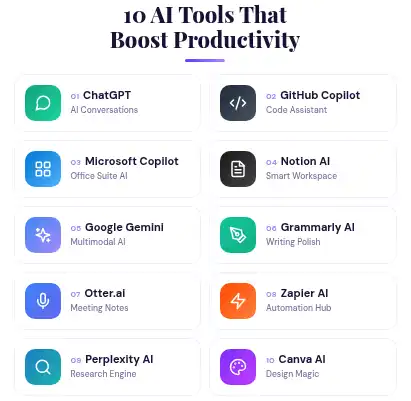
10 Powerful AI Tools That Will Boost Your Productivity
Let me be clear about how I have selected these tools. I am not recommending them because they have the biggest marketing budgets or the most impressive demos. I am recommending them because they deliver consistent, measurable value in professional work environments — the kind of environments I have spent my career working in.
1. ChatGPT — AI Writing and Thinking Assistant
If there is one AI tool that has genuinely changed how I work day-to-day, it is ChatGPT.
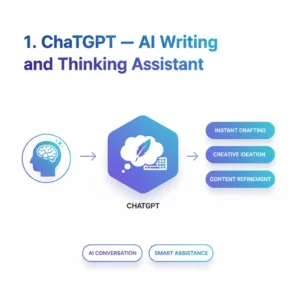
I use it for drafting project communications, structuring complex documents, thinking through architecture decisions, generating SQL query logic, creating presentation outlines, and doing rapid research on technical topics I need to get up to speed on quickly.
What most articles miss about ChatGPT is that its value is entirely proportional to the quality of your prompts. A vague prompt produces a generic response. A well-structured prompt — one that provides context, specifies the format, and defines the expected output — produces something that is often genuinely useful as a first draft.
This reminds me of the way I used to brief junior developers. The quality of the work you got back was a direct function of the quality of the brief you gave. AI works the same way. If you are not getting good outputs from ChatGPT, the problem is almost certainly in your input, not the tool.
Best for: Writing, drafting, ideation, research, explaining complex topics, generating structured documents.
Free vs Paid: The free version is capable for many use cases. ChatGPT Plus adds access to GPT-4 level models and more reliable performance for complex tasks — worth the investment for professional use.
Practical tip: Use the custom instructions feature to tell ChatGPT your role, your industry, and your preferred output format. You will get dramatically better responses from the very first message.
💼 From My Experience
I recently used ChatGPT to draft a technical handover document for a complex Kafka messaging pipeline — a task that would have taken a senior developer half a day to write from scratch. With a detailed prompt and two rounds of refinement, we had a production-quality draft in under two hours. That is not a demo. That is a real project, real time saved.
2. GitHub Copilot — AI for Developers
GitHub Copilot is the AI tool I would recommend without hesitation to any developer, regardless of their experience level.
I have seen it in action on my current Java legacy modernisation project, where the team is working across Java Struts, Angular, AWS infrastructure, and Kafka. The codebase is large, complex, and not always well-documented. GitHub Copilot has been particularly valuable for two things: accelerating boilerplate code generation and helping newer team members understand unfamiliar code patterns faster.
What I want to be honest about — because the vendor marketing does not always say this clearly — is that Copilot can suggest plausible-looking code that is logically incorrect. It can also suggest approaches that work in isolation but create problems when integrated with the broader system. Code review is not optional when using Copilot. If anything, it matters more, not less.
Best for: Developers working across multiple languages and frameworks who want to reduce time on repetitive coding tasks.
Free vs Paid: Free tier is available for individual developers. The paid plan is worth it for professional use, especially for larger codebases and team environments.
Practical tip: Treat every Copilot suggestion as a starting point for review, not a finished output. The time you save on writing is only real if you invest some of it in reviewing what gets generated.
❓ Does GitHub Copilot replace developers?
No. GitHub Copilot accelerates code generation but does not replace the judgment required to architect systems, review logic, handle edge cases, or understand business context. Developers who use Copilot well can handle more output — but human review of AI-generated code remains essential for production environments.
3. Microsoft Copilot — AI Inside Your Office Apps
Of all the AI tools for productivity covered in this article, Microsoft Copilot in a properly configured Microsoft 365 environment has the most immediate enterprise relevance.
The reason is simple. Enterprises are already inside the Microsoft ecosystem. Outlook, Teams, Word, Excel, PowerPoint — these are the daily tools for millions of professionals. Microsoft Copilot does not ask you to change your workflow. It augments the workflow you already have.
From my experience managing enterprise projects, the most valuable use cases are meeting summaries in Teams, email drafting in Outlook, and data analysis in Excel. Meeting summaries alone — automatically generated, action-item extracted, distributed within minutes of a call ending — represent a genuine productivity shift for any team running multiple meetings per day.
This reminds me of when we rolled out Power BI across a retail client’s organisation years ago. The business users did not need to learn SQL. They just needed to ask questions and get answers. Microsoft Copilot takes that idea much further — you can now query your data, your emails, your documents, and your meeting history in plain English.
Best for: Enterprise professionals already in the Microsoft 365 ecosystem who want AI embedded in their existing tools.
Free vs Paid: Microsoft Copilot requires a Microsoft 365 Copilot licence, which is a paid add-on. For enterprise teams, the ROI calculation depends on the volume of documentation, communication, and reporting work involved.
Practical tip: The quality of Copilot’s outputs depends heavily on the quality and organisation of your underlying Microsoft tenant data. Clean up your SharePoint, organise your Teams channels, and ensure your data is properly structured before expecting great results.
📌 In Simple Words
Microsoft Copilot is like having a very capable assistant who has read every email you have ever sent, attended every meeting you have been in, and has access to every document in your organisation — and can answer questions and draft documents based on all of that context. That is a different category of productivity tool.
4. Notion AI — Smart Notes and Project Management
Notion has been a favourite among developers and knowledge workers for several years. The addition of Notion AI has transformed it from a very good notes and project management tool into something that can genuinely accelerate how teams capture, organise, and use information.
I particularly value Notion AI for two scenarios: summarising long research notes into structured documents, and generating first drafts of project briefs and specification documents from bullet point inputs.
In enterprise IT project management, one of the most time-consuming tasks is turning a set of meeting notes, scattered requirements, and stakeholder feedback into a coherent project brief. Notion AI does not do that automatically — but it reduces the effort significantly if you feed it well-organised inputs.
Best for: Knowledge workers, project managers, researchers, and teams who use Notion as their primary workspace.
Free vs Paid: Notion AI is an add-on to Notion plans. The free tier of Notion does not include AI features.
Practical tip: Use Notion AI to generate document templates and first-draft specifications from your rough notes. Even if you rewrite eighty percent of the output, having a structured first draft to react to is faster than starting from blank.
5. Google Gemini — AI Research and Summarization
Google Gemini is Google’s response to ChatGPT, and it has one capability that none of the other tools in this list can fully match: deep integration with Google’s search index and real-time information.
For research tasks — understanding a new technical domain, comparing vendor capabilities, tracking industry trends — Gemini’s ability to draw on current information makes it more reliable than tools that are limited to their training data.
From my experience working across industries, one of the most time-consuming tasks for any senior professional is staying current. New regulations in pharma, new AWS service releases, new security threats in enterprise infrastructure — the pace of change is relentless. Gemini helps compress the time required to build initial understanding of any new topic.
Best for: Research, summarisation, staying current on fast-moving topics, and professionals already deeply embedded in Google Workspace.
Free vs Paid: Gemini Advanced (paid) offers significantly better capabilities for professional research use cases.
6. Grammarly AI — Writing Quality and Tone
Grammarly started as a grammar and spelling checker. It has evolved into a full AI writing assistant that can suggest rewrites, adjust tone, improve clarity, and check for plagiarism.
For professionals who write a significant volume of external communications — client reports, stakeholder updates, technical documentation, proposals — Grammarly AI is one of the most consistently valuable AI tools to save time and reduce revision cycles.
What I particularly value about Grammarly is the tone detection and adjustment capability. In enterprise IT, the same information often needs to be communicated differently depending on the audience — a technical delivery team, a business steering committee, or a client executive. Grammarly’s tone adjustment tools help bridge that gap without requiring you to write separate documents from scratch.
Best for: Anyone who writes professional communications and wants to improve quality and reduce editing time.
Free vs Paid: The free version handles basic grammar and spelling. Grammarly Premium adds advanced style suggestions, tone detection, and the full AI rewriting capabilities that make it genuinely useful for professional content.
💼 From My Experience
I write a significant volume of project documentation, client communications, and technical reports. Grammarly AI has reduced the time I spend on the final editing and review pass of every document I write. It catches not just errors but structural weaknesses in how I have framed an argument — which is a different class of value from a spell checker.
7. Otter.ai — AI Meeting Transcription
If you attend a lot of meetings — and in enterprise IT, you almost certainly do — Otter.ai is one of the highest-ROI AI tools for professionals available today.
Otter.ai joins your online meetings, transcribes the conversation in real time, identifies different speakers, generates a summary, and extracts action items automatically.
Think about what that means in practice. Every meeting you attend produces a structured record, a summary, and a list of follow-up actions — automatically, without anyone being assigned the job of taking notes. For anyone who has ever sat in a two-hour project steering committee and then spent another thirty minutes writing up the minutes, Otter.ai addresses a genuinely painful workflow.
From my experience running project teams across multiple time zones — a common reality in multinational enterprise IT — the challenge of keeping everyone aligned on meeting outcomes is significant. Otter.ai transforms meeting capture from a manual, inconsistent process into an automated, reliable one.
Best for: Project managers, team leads, business analysts, and anyone who runs or participates in a high volume of meetings.
Free vs Paid: The free tier provides a limited number of transcription minutes per month. For regular professional use, the paid plan is worth it.
Practical tip: Share Otter.ai summaries in your team’s Slack or Teams channel immediately after every meeting. It creates a shared record, reduces follow-up questions, and builds accountability for action items without requiring anyone to manually write up notes.
📌 In Simple Words
Otter.ai is the meeting notes taker you always wished you had. It never misses a detail, never writes illegible shorthand, and has the summary ready before the meeting window has closed. For professionals who spend significant parts of their day in meetings, this is one of the most time-saving AI tools available.
8. Zapier AI — Workflow Automation Without Code
Zapier has been a workflow automation platform for years. Its AI capabilities have now made it possible for non-technical users to describe workflows in plain English and have Zapier build the automation logic.
This is significant because workflow automation — connecting different apps, triggering actions based on events, moving data between systems — used to require either dedicated integration developers or deep knowledge of the Zapier platform. With Zapier AI, a project manager or business analyst can describe what they want to happen in plain language and get a working automation built.
This reminds me of the value proposition that brought me to Business Objects and Cognos years ago — giving business users direct access to data insights without requiring a developer in the loop. Zapier AI does the same thing for process automation.
Best for: Professionals who want to automate repetitive workflows across multiple tools without writing code.
Free vs Paid: Zapier has a free tier with limited automation runs. Professional automation workflows typically require a paid plan.
Practical tip: Start with one workflow you currently do manually — something simple like copying data from a form submission into a spreadsheet and sending a notification. Automate that first, see the value, then expand.
❓ Can non-technical people use Zapier AI?
Yes. Zapier AI is specifically designed to make workflow automation accessible to non-developers. You describe the automation you want in plain English — for example, “when I receive an email with an attachment, save the attachment to Google Drive and notify me in Slack” — and Zapier AI builds the workflow logic for you.
9. Perplexity AI — AI-Powered Research Engine
Perplexity AI is not as widely known as ChatGPT or Google Gemini, but for research tasks it is one of the best AI tools for productivity available right now.
The core difference between Perplexity and other AI research tools is citation transparency. Perplexity tells you exactly where every piece of information in its response comes from. It cites sources clearly and links directly to them. For professionals who need to verify information before using it in a report, a proposal, or a client presentation, this is not a minor feature — it is a fundamental shift in how trustworthy AI-generated research can be.
From my experience working in pharma — an industry where the provenance of every data point matters enormously — a tool that shows you the source of every claim it makes is a qualitatively different proposition from a tool that produces confident-sounding text without attribution.
Best for: Researchers, business analysts, consultants, and any professional who needs verified, sourced information quickly.
Free vs Paid: Perplexity Pro is worth it for professional research use — it adds access to better models and more powerful research capabilities.
💼 From My Experience
I now use Perplexity as my first step for any research task where I need to quickly build understanding of a technical topic I am not already expert in. It compresses what used to be two to three hours of reading into twenty to thirty minutes — with the sources available if I need to go deeper on any specific point.
10. Canva AI — Visual Content Creation
Canva has been the go-to design tool for non-designers for years. Its AI features — particularly Magic Design, Magic Write, and the AI image generation capabilities — have pushed it into a different category entirely.
For professionals who need to produce presentations, reports, social media visuals, or marketing materials without a dedicated design resource, Canva AI is transformative. You can describe the visual you want, generate multiple design options, write the copy with AI assistance, and produce a polished finished product in a fraction of the time a traditional design process would take.
From my experience managing projects in media and entertainment, where visual communication matters significantly, having a tool that allows non-designers to produce professional-quality visual content changes the dynamics of what a small team can produce.
Best for: Marketing professionals, content creators, project managers who produce presentations, and anyone who needs polished visual content without a design team.
Free vs Paid: Canva’s free tier is genuinely capable. Canva Pro adds AI features and significantly expands the template library and brand kit functionality.
📌 In Simple Words
Canva AI gives non-designers the ability to produce visuals that look like they came from a professional design team. For solo professionals, small teams, and content creators, the time and cost savings are immediate and significant.
How to Choose the Right AI Tool for Your Work
With ten tools in front of you, the natural question is: where do I start?
From my experience, the worst thing you can do is try to adopt all of them at once. That is a recipe for surface-level familiarity with everything and deep expertise in nothing.
Match the Tool to Your Specific Use Case
The right way to approach this is to start with your biggest productivity pain point and match the tool to that pain point specifically.
Ask yourself: what is the single task that takes me the most time relative to the value it delivers?
If the answer is writing — reports, emails, documentation — start with ChatGPT or Grammarly AI.
If the answer is meetings — too many, poorly captured, no clear follow-through — start with Otter.ai.
If you are a developer and the answer is code — too much boilerplate, slow review cycles, unfamiliar codebases — start with GitHub Copilot.
If the answer is research — staying current, building knowledge in new domains quickly — start with Perplexity AI or Google Gemini.
If you are already deep in the Microsoft ecosystem and your answer is everything — start with Microsoft Copilot, because it addresses multiple workflows simultaneously within tools you already use.
💼 From My Experience
When I first started using AI productivity tools seriously, I made the mistake of trying everything at once. ChatGPT for writing, Copilot for code, Otter for meetings, Canva for visuals — all in the same week. I ended up feeling like I had ten half-learned skills. The month I committed to becoming genuinely good at just ChatGPT for professional communication, the value became undeniable. Master one tool before you add the next.
Free vs Paid AI Tools — What Actually Matters
The free versions of most of these tools are legitimate starting points. You can build real familiarity and extract real value from the free tiers of ChatGPT, Canva, Grammarly, and Notion before committing to a paid subscription.
The honest calculus on paid tiers is this: if a tool saves you more than one hour per week of professional time, the monthly subscription cost is almost certainly justified. At a professional billing rate or even just a salary rate, one saved hour per week over a month is worth more than the subscription cost of every tool on this list combined.
What paid tiers typically add is reliability, capacity, and access to more powerful underlying models. For occasional use, free tiers are fine. For daily professional workflows, the paid tiers are where the real value lives.
Tips to Get Maximum Productivity from AI Tools
Knowing which tools to use is the first half of the equation. Knowing how to use them well is the second — and in my experience, it is the half that most people underinvest in.
Build an AI Workflow That Works for You
The highest-value thing you can do with AI tools is not to use them individually for isolated tasks. It is to connect them into a workflow that handles a complete process end-to-end.
Here is an example of how I have built an AI-assisted workflow for project documentation:
Otter.ai captures the meeting automatically. I take the transcript into ChatGPT with a clear prompt to extract the key decisions, risks, and action items in a structured format. I paste the structured output into Notion and use Notion AI to format it into a project brief or status update. Grammarly reviews the final document before it goes to the client.
What used to take two to three hours of manual work now takes thirty to forty-five minutes — with better output quality and greater consistency.
The key principle is that each tool handles what it is best at. The human’s job is to design the workflow, review the outputs at each stage, and take responsibility for the final result.
📌 In Simple Words
Think of building an AI workflow the same way you would think about designing a production pipeline in software. Each stage has a clear input, a clear process, and a clear output. The
Common Mistakes to Avoid with AI Tools
From my experience watching teams adopt AI tools across enterprise environments, the same mistakes appear repeatedly.
Treating AI output as final output. Every AI tool produces a first draft, not a finished product. The professionals who get the most value from these tools are the ones who treat AI as the starting point and their own judgment as the finishing step.
Using vague prompts and blaming the tool. The quality of AI output is directly proportional to the quality of your input. If you give ChatGPT a one-sentence prompt for a complex document, you will get a generic response. Give it context, format requirements, and specific instructions — and the output changes dramatically.
Adopting too many tools too fast. Depth of skill with one tool delivers more value than surface familiarity with ten. Be deliberate about which tools you invest time in learning properly.
Ignoring data privacy and security. In enterprise environments — particularly in pharma and financial services — you need to understand what data you are feeding into any AI tool and whether the platform’s data handling policies are compatible with your organisation’s compliance requirements. This is not optional.
Expecting AI to replace judgment. The professionals I see succeeding with AI are the ones who use it to move faster on the work that does not require deep human judgment — so they have more time and mental bandwidth for the work that does. AI amplifies capability. It does not replace the contextual judgment that comes from decades of experience.
Conclusion
Here is what I want to leave you with after everything we have covered.
The ten AI tools for productivity in this article are not theoretical future concepts. They are available right now, most of them have a free starting point, and every one of them delivers measurable value in professional work environments that I have personally observed.
The tools I would recommend starting with, depending on your role:
If you are a developer, start with GitHub Copilot. The learning curve is minimal and the productivity impact is immediate.
If you are a project manager or business analyst, start with Otter.ai for meetings and ChatGPT for documentation. Those two tools address the two highest-volume pain points in most PM and BA roles.
If you are a knowledge worker in the Microsoft ecosystem, explore Microsoft Copilot — but invest time first in ensuring your data environment is clean and well-organised.
If you are a content creator or marketer, the Canva AI and ChatGPT combination is the fastest path to a visible productivity improvement.
And if you are early in your AI journey and unsure where to start — start with ChatGPT. Spend thirty minutes a day for two weeks using it for real professional tasks. Build your prompting skills intentionally. The rest will follow naturally.
The most important thing is to start. The gap between professionals who are actively building AI literacy right now and those who are waiting for the right moment to begin is growing every month. You do not need to master everything at once. You just need to start with one tool, on one real task, today.
If you found this article useful, share it with someone on your team who is still on the fence about AI tools. And if you have a tool I have not covered that has genuinely changed how you work, I would love to hear about it in the comments.
FAQ
❓ What are the best AI tools for productivity right now?
The best AI tools for productivity depend on your role, but the most consistently valuable across professional environments are ChatGPT for writing and thinking, GitHub Copilot for developers, Microsoft Copilot for enterprise professionals, Otter.ai for meetings, and Perplexity AI for research. Start with the tool that addresses your biggest daily pain point.
❓ Are AI productivity tools safe to use for work?
Most major AI productivity tools have enterprise-grade security options, but you should always review the platform’s data handling and privacy policies before inputting sensitive business information. In regulated industries like pharma or finance, verify compliance with your organisation’s data governance policies before adoption.
❓ How long does it take to see results from AI tools for productivity?
Most professionals notice a measurable time saving within the first two weeks of consistent use. The tools with the fastest visible impact are Otter.ai for meeting notes and ChatGPT for writing tasks. GitHub Copilot typically shows clear value within the first few coding sessions for developers working on familiar codebases.
❓ Do I need technical skills to use AI productivity tools?
No. The majority of AI productivity tools covered in this article are designed for non-technical users. Tools like ChatGPT, Grammarly AI, Otter.ai, and Canva AI require no technical background whatsoever. GitHub Copilot is the exception — it is built specifically for developers and requires coding knowledge to use effectively.
❓ What is the difference between AI tools for productivity and traditional software?
Traditional software follows fixed rules and produces the same output from the same input every time. AI productivity tools use machine learning models that generate contextual responses, adapt to different inputs, and can handle unstructured tasks like writing, summarisation, and research. The output is variable and requires human review — but the range of tasks they can handle is dramatically broader.
❓ Are free AI productivity tools worth using for professional work?
Yes — the free tiers of ChatGPT, Canva, Grammarly, and Notion are legitimate starting points for professional use. They have real capability limitations compared to paid versions, but they are sufficient to build familiarity and demonstrate value before committing to a subscription. For high-volume professional workflows, paid tiers deliver meaningfully better performance.
About the Author
I am an IT professional with hands-on experience across various technology.I am not a researcher or a vendor advocate. I am a practitioner who works with these technologies in real enterprise environments.I write to share what actually works in the real world, not what looks impressive in a conference keynote. My goal is to bridge the gap between “technical jargon” and “real-world results,” helping you navigate the AI era.
To know more about “Role of Agents in Artificial Intellegence” read my blog post link below
Agents in Artificial Intellegence
Credits for the above info source