
Best AI Tools for Students and Learners – Introduction
Students today face a problem that didn’t exist even a decade ago: information overload. There are thousands of websites, videos, research papers, and tutorials available online — yet many students still struggle to study effectively, organize knowledge, and complete assignments on time.This is exactly where AI tools for students are changing the game.
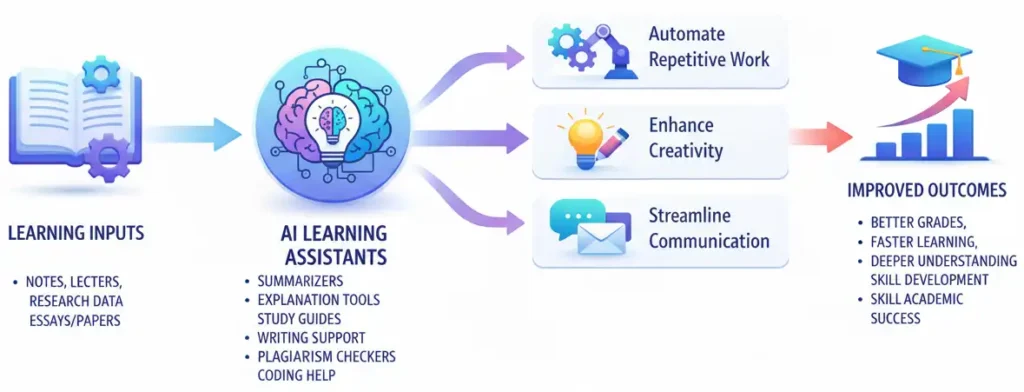
Over the last few years, artificial intelligence has evolved from a futuristic concept into a practical learning assistant. Today, AI can help students summarize textbooks, generate study notes, improve essays, explain complex concepts, and even create personalized study plans.
The impact AI is having on education right now is something truly remarkable.Students are no longer studying alone.They now have intelligent assistants like ChatGPT, Grammarly, and Notion AI helping them learn faster and work smarter.
In this guide, I’ll walk you through the best AI tools for students and learners that can improve:
- Writing and assignments
- Note-taking and summaries
- Research and fact-checking
- Exam preparation and revision
- Productivity and organization
Whether you’re a school student, college learner, or lifelong learner, these tools can dramatically improve how you study.
Table of Contents
What Are AI Tools for Students and Why Do They Matter
Artificial intelligence tools designed for students are software platforms that assist with studying, writing, research, and learning organization.
Instead of spending hours searching for answers or struggling with assignments, students can now use AI to:
- generate explanations
- summarize long chapters
- improve writing clarity
- organize study material
- create revision notes
These tools don’t replace learning — they enhance the learning process.
📌 In Simple Words
AI tools act like a digital study assistant that helps you understand topics faster, organize knowledge better, and complete academic tasks more efficiently.
How AI Is Changing the Way Students Learn
Here is what is actually shifting.
Traditionally, learning was linear. Read a textbook. Attend a lecture. Take notes. Review notes. Write an essay. Submit. Get feedback weeks later.
AI is collapsing that cycle. Students can now get instant feedback on their writing, have complex topics explained in plain language on demand, generate flashcards from their own notes automatically, and research topics with AI tools that surface relevant information in seconds rather than hours.
The students who are thriving right now are not the ones using AI to avoid work. They are the ones using AI to do better work, faster — and spending the time they save on deeper thinking and genuine understanding.
❓ How are AI tools different from just searching Google?
AI tools go beyond search by understanding context, generating personalised explanations, and helping you produce work — not just find information. They can summarise, draft, quiz you, and adapt to your specific question rather than returning a list of links for you to sort through yourself.
Best AI Tools for Students
Let me walk through the tools by category. I have structured this the way I would brief a project team — use case first, tool second, so you can immediately identify what is relevant to you.
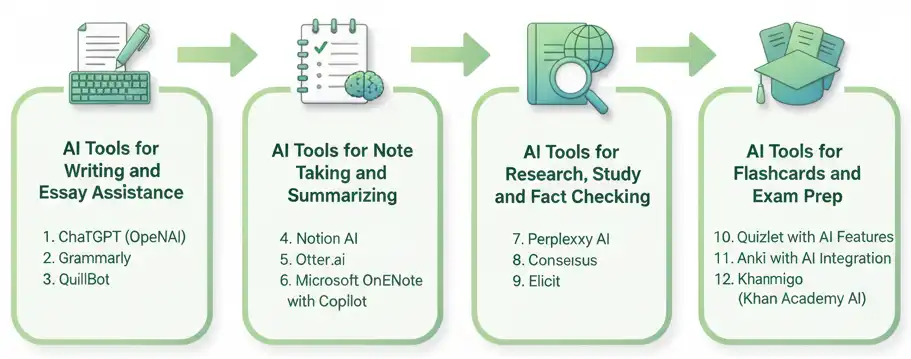
AI Tools for Writing and Essay Assistance
Writing is where most students feel the most pressure — and where AI tools deliver the most immediate, visible value.
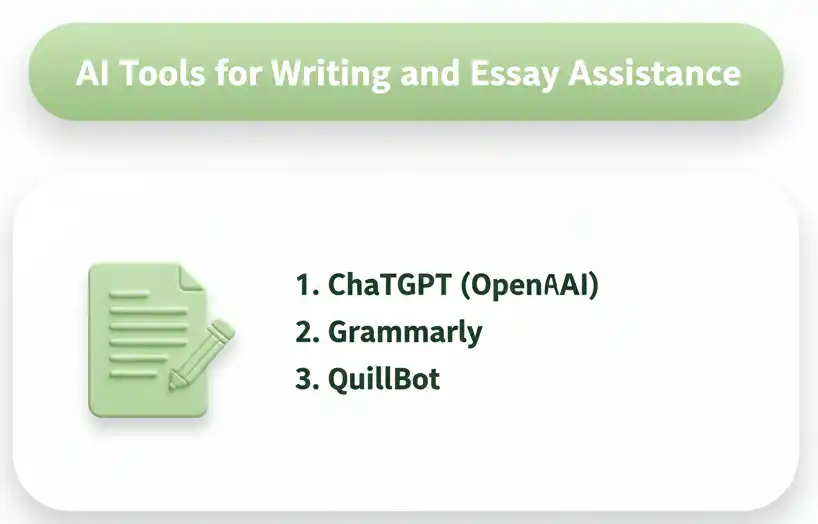
1. ChatGPT (OpenAI)
One of the most versatile learning tools available today is ChatGPT. [ access URL https://chatgpt.com/ ]
ChatGPT is the most versatile writing assistant available to students right now. It can help you brainstorm essay topics, build outlines, improve drafts, rephrase unclear sentences, and explain why certain arguments are stronger than others.
What makes ChatGPT genuinely useful for students — rather than just a shortcut — is the way you can use it as a thinking partner. Instead of asking it to write your essay, ask it to challenge your argument. Ask it what the counterarguments are. Ask it to explain the weakest part of your thesis. That kind of iterative, conversational use builds your own critical thinking while using the tool.
From my experience with generative AI across work projects, the most valuable use is not generation — it is refinement. Getting a first draft onto the page and then working through it critically produces far better results than starting from scratch or accepting AI output as final.
Best for: Essay outlining, argument development, draft refinement, explanation of complex topics
Free tier: Yes — GPT-4o available on free plan with usage limits
Paid tier: ChatGPT Plus at approximately $20/month for extended access
Best Use Cases
- Understanding complex topics
- Generating essay structures
- Simplifying technical subjects
- Language learning practice
Students use it to:
- explain difficult concepts
- generate essay outlines
- summarize articles
- practice interview questions
- brainstorm project ideas
2. Grammarly
Grammarly [acess URL https://www.grammarly.com/ ] is the gold standard for writing quality improvement. It goes far beyond spell check — it analyses sentence structure, tone, clarity, conciseness, and engagement. The premium version now includes generative AI suggestions that can help rewrite weak paragraphs.
For students writing academic papers, Grammarly’s tone detection is particularly useful. It flags when your writing sounds too casual, too vague, or too repetitive — exactly the feedback a good tutor would give.
📌 In Simple Words
Think of Grammarly as a writing coach sitting next to you as you type. It does not write for you — it tells you what to fix and why, so your writing gets better with every session.
Best for: Academic writing, essay editing, professional emails, proofreading
Free tier: Yes — core grammar and spelling corrections
Paid tier: Grammarly Premium unlocks full clarity and tone suggestions
Grammarly helps students:
- fix grammar mistakes
- improve sentence clarity
- rewrite awkward paragraphs
- enhance tone and readability
3. QuillBot
Quillbot [acess URL https://quillbot.com/ ] specialises in paraphrasing and summarising. For students who need to restate complex source material in their own words — which is a core academic skill — Quillbot offers different paraphrase modes ranging from standard to creative to academic.
It also has a summariser that can condense long articles into key points, which is useful when you need to quickly process multiple research sources.
Best for: Paraphrasing research sources, summarising articles, academic restatement
Free tier: Yes — limited word count per use
Paid tier: Quillbot Premium removes word limits and adds more paraphrase modes
Students use it to:
- paraphrase text
- simplify academic writing
- generate summaries
- improve sentence variety
It’s especially helpful when rewriting research notes into original content.
📌 People Also Ask
Question:Can AI help students write essays?
Answer: Yes, AI tools can assist students with brainstorming ideas, structuring essays, improving grammar, and summarizing research. However, students should use AI as a writing assistant rather than copying AI-generated text directly to maintain academic integrity.
AI Tools for Note Taking and Summarizing
This is, in my view, the single highest-value use case for AI tools in student learning. The amount of time students spend writing notes — and then not reviewing them effectively — is an enormous untapped efficiency opportunity.
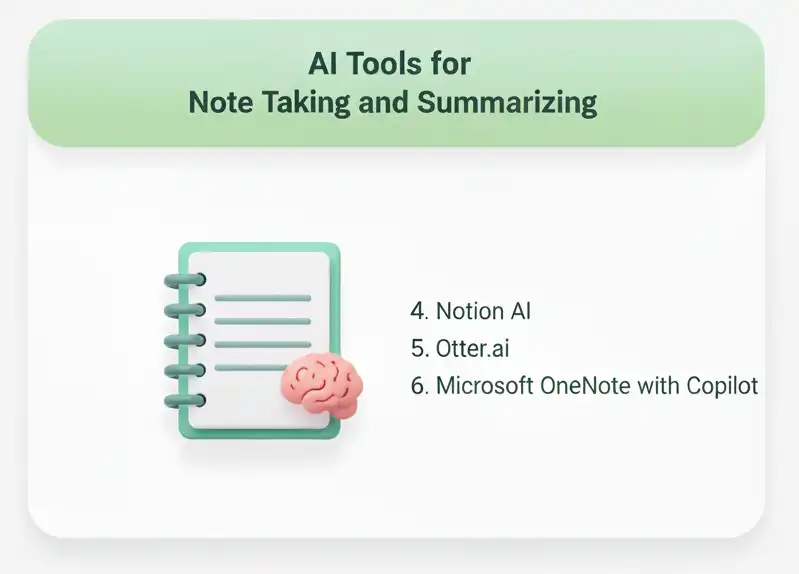
4. Notion AI
Notion [acess URL https://www.notion.so/product/ai ] is already a powerful productivity and note-taking tool. Notion AI adds a layer of intelligence on top of it — summarising your notes, generating action items, expanding bullet points into full paragraphs, and answering questions about content you have saved.
For students managing multiple subjects, projects, and deadlines, Notion AI functions like an intelligent second brain. You store your notes, lecture summaries, research links, and assignment drafts in one place — and the AI helps you navigate and work with that content faster.
This reminds me of how enterprise teams use knowledge management platforms on complex projects. On large IT projects, the challenge is never a lack of information — it is finding the right information at the right time. Students face the same problem at exam time. Notion AI solves it.
Best for: Organising study notes, summarising lectures, managing multiple subjects
Free tier: Notion free plan with limited AI credits
Paid tier: Notion AI add-on at approximately $10/month
5. Otter.ai
Otter.ai [acess URL https://otter.ai ] is a voice-to-text transcription tool that records and transcribes lectures, study group discussions, and interviews in real time. It automatically identifies speakers, creates summaries, and allows you to search your transcripts by keyword.
For students who struggle to take notes while listening — or who want to focus on understanding during lectures rather than writing — Otter.ai is transformative. You attend the lecture fully present, and the tool handles the documentation.
Best for: Lecture transcription, interview notes, meeting summaries, accessibility support
Free tier: Yes — limited transcription minutes per month
Paid tier: Otter AI Pro for extended minutes and additional features
It can:
- transcribe lectures
- generate summaries
- create searchable notes
This allows students to focus on listening and understanding, instead of frantically writing everything down.
6. Microsoft OneNote with Copilot
For students already in the Microsoft ecosystem — which includes most university environments — OneNote with Copilot integration brings AI directly into a familiar note-taking tool. Copilot can summarise your notes, generate study guides from your content, and help you identify gaps in your revision material.
From my experience, Microsoft tools have the highest enterprise adoption because they integrate cleanly with existing environments. The same is true for students in university settings — if your institution uses Microsoft 365, this is a zero-friction way to add AI to your study workflow.
Best for: University students in Microsoft environments, revision planning, study guide generation
Free tier: Available through many university Microsoft 365 licences
Paid tier: Microsoft 365 Personal includes Copilot features
AI Tools for Research , Study and Fact Checking
Research is where AI tools have both the highest potential and the highest risk. The potential: faster, broader, better-organised research. The risk: hallucinated facts, missing citations, and over-reliance on AI summaries over primary sources
I will address both.
7. Perplexity AI
Perplexity AI [acess URL https://www.perplexity.ai ] is a research-focused AI assistant that searches the web in real time and provides answers with cited sources. Unlike ChatGPT, which draws on training data, Perplexity actively searches and links to its sources — which is critical for academic work where citation accuracy matters.
For students doing literature reviews, exploring new topics, or fact-checking claims, Perplexity is more trustworthy than a general-purpose generative AI tool because it shows you where its information comes from.
📌 From My Experience
In enterprise project work, sourcing matters enormously. A recommendation without a traceable source gets challenged immediately in any serious stakeholder meeting. Students should develop the same habit — always trace AI-provided information back to a primary source before using it in academic work. Perplexity makes that verification step significantly easier.
Best for: Research starting points, fact checking, source discovery, literature exploration
Free tier: Yes — web-based access with generous free usage
Paid tier: Perplexity Pro for deeper research and more queries
8. Consensus
Consensus [acess URL https://consensus.app ] is an AI search engine built specifically for scientific research. It searches peer-reviewed papers and synthesises findings across multiple studies to give you research-backed answers. For students in STEM, medicine, psychology, or any field that requires engagement with academic literature, Consensus is an extraordinary tool.
Rather than finding individual papers, Consensus tells you what the research broadly says on a topic — with citations to the underlying studies. That is a research superpower for students writing literature reviews or evidence-based arguments.
Best for: Scientific research, literature reviews, evidence-based writing, STEM subjects
Free tier: Yes — limited searches per day
Paid tier: Consensus Pro for unlimited searches
9. Elicit
Elicit [acess URL https://elicit.org ] is another AI research assistant designed for academic use. It helps you find relevant papers, extract key findings, summarise abstracts, and identify research gaps. Researchers at universities use it but the interface is accessible enough for advanced students.
Best for: Advanced academic research, dissertation support, paper analysis
Free tier: Yes — limited free queries
Paid tier: Elicit Plus for extended usage
❓ Can I trust AI tools for research and fact checking?
AI tools for research vary significantly in reliability. Tools like Perplexity and Consensus cite their sources, making verification possible. General generative AI tools like ChatGPT can hallucinate facts — always cross-check important claims against primary sources before including them in academic work.
AI Tools for Flashcards and Exam Prep
Retrieval practice — testing yourself on material — is one of the most evidence-backed study methods. AI has made generating personalised practice materials dramatically faster.
10. Quizlet with AI Features
Quizlet [acess URL https://quizlet.com ] has been a student favourite for years. Its AI features now allow you to generate flashcard sets automatically from your notes or uploaded documents, create practice tests, and identify which concepts you are struggling with based on your performance.
The AI personalisation layer — which adjusts which cards you see based on how you are performing — mirrors what research shows about spaced repetition and active recall. It is not just flashcards. It is an adaptive study engine.
Best for: Vocabulary, definitions, concept revision, language learning, exam preparation
Free tier: Yes — core flashcard and study features
Paid tier: Quizlet Plus for AI-generated content and ad-free experience
11. Anki with AI Integration
Anki [acess URL https://ankiweb.net ] is the gold standard for spaced repetition learning. While Anki itself requires manual card creation, tools like AnkiConnect and AI integrations now allow you to generate Anki decks from your notes using ChatGPT or other AI tools.
For students studying medicine, law, language, or any subject with high memorisation demands, Anki’s algorithm is genuinely superior to any other review method for long-term retention.
Best for: Long-term memorisation, medical and law students, language acquisition
Free tier: Yes — Anki desktop is free
Paid tier: AnkiMobile for iOS is a one-time purchase
12. Khanmigo (Khan Academy AI)
Khanmigo [acess URL https://khanacademy.org/khanmigo ] is Khan Academy’s AI tutor powered by GPT. What makes it genuinely different from other AI tools is its pedagogical design — it is built to guide students toward understanding rather than just providing answers. It asks Socratic questions, prompts you to think, and nudges you toward the answer rather than handing it over.
For students who want AI support that genuinely builds understanding — rather than creating dependency — Khanmigo is the most responsibly designed tool on this list.
📌 In Simple Words
Khanmigo is the AI tool I would recommend to any student worried about becoming too dependent on AI. It is designed to teach you how to think, not to think for you. That is a fundamentally different — and better — experience.
Best for: Maths, science, test prep, guided learning, avoiding AI dependency
Free tier: Available for learners via Khan Academy — check current access model
Paid tier: Subscription model for full Khanmigo access
Free vs Paid AI Tools for Students — What Is Worth It
This is a practical question that most lists skip entirely. So let me be direct about it.
Best Free AI Tools for Students on a Budget
The honest answer: you can build an extremely effective AI study toolkit entirely for free.
- ChatGPT free tier gives you access to GPT-4o with daily usage limits — more than enough for most students
- Grammarly free covers core grammar and spelling for all your writing
- Perplexity AI free gives you real-time research with citations
- Quizlet free gives you flashcard creation and basic study modes
- Otter.ai free gives you 300 minutes of transcription per month — enough for several lectures
- Notion free gives you a fully functional note-taking workspace
If you are a student on a tight budget, that combination alone covers writing assistance, research, note taking, and exam prep at zero cost. Start there.
When Upgrading to a Paid Plan Makes Sense
There are specific situations where a paid upgrade genuinely pays off.
Upgrade ChatGPT Plus if: You are doing intensive writing, research, or programming work daily and hitting the free tier limits consistently. The extended access and advanced capabilities are worth it for heavy users.
Upgrade Grammarly Premium if: You are writing academic papers regularly and need the full clarity, tone, and advanced suggestion features. For dissertations or thesis work, the investment is worthwhile.
Upgrade Notion AI if: You are managing a large volume of notes across multiple subjects and want the full AI integration for summaries and content generation.
Upgrade Perplexity Pro if: You are doing serious research work — dissertation level, postgraduate, or professional learning — and need unlimited queries.
📌 From My Experience
In enterprise projects, we always evaluate tools on ROI — what value does this tool generate relative to its cost? Apply the same logic as a student. If a $10/month tool saves you five hours of study time per month and improves your assignment quality, it is one of the best investments you can make in your education.
❓ Are free AI tools good enough for student use?
Yes — for the majority of student needs, free tiers of tools like ChatGPT, Grammarly, Perplexity, and Quizlet are genuinely sufficient. Paid upgrades make sense when you are hitting usage limits regularly or when the quality difference has a direct impact on academic outcomes.
How to Use AI Tools Without Hurting Your Learning
This is the section I care most about — because it is the one most articles skip.
There is a real risk with AI tools for students that nobody wants to talk about plainly: if you use them to avoid thinking, you will get better grades in the short term and weaker capabilities in the long term. That is a bad trade.
From my experience building and managing IT teams, the professionals who struggle most are not the ones who lacked intelligence — they are the ones who never developed the habit of working through difficult problems themselves. AI tools can accelerate that problem if used passively.
Here is how to avoid that.
Using AI as a Study Partner, Not a Shortcut
The single most important mental shift is this: use AI to work with your thinking, not instead of it.
Practical examples of AI as a study partner:
- Write your essay outline first. Then ask ChatGPT to critique it and suggest what is missing.
- Attempt a practice question. Then ask AI to explain where your reasoning went wrong.
- Read a research paper. Then ask Perplexity to summarise it — and compare that summary to your own understanding.
- Create your own flashcards. Then use Quizlet AI to generate additional questions you might have missed.
In each of these examples, you are doing the cognitive work first. The AI is adding a layer of challenge, feedback, or expansion — not replacing your effort.
Avoiding Over-Dependence on AI
📌 From My Experience
I have seen a similar dynamic in enterprise IT. When teams get over-dependent on a particular tool or vendor, they lose the internal capability to function without it. That creates brittleness. The same applies to students who outsource too much thinking to AI — they become capable of producing outputs but not of generating the understanding that those outputs are supposed to represent.
Specific habits to build:
- Always read before you summarise. Do not ask AI to summarise a chapter before you have read it. Read first, summarise yourself, then use AI to check your comprehension.
- Write first drafts yourself. Even a rough, imperfect first draft that is yours is more valuable than a polished AI-generated draft. Your draft shows you what you understand and where your gaps are.
- Verify everything. Treat AI output like a first-year research assistant’s work — useful, often good, occasionally wrong, always needs checking.
Using AI as a Learning Assistant
The best use of AI in learning is as an infinitely patient tutor available at any hour.
Ask it to explain things you do not understand in simpler terms. Ask it to give you three different explanations of the same concept. Ask it to create analogies that connect new ideas to things you already know. Ask it to quiz you on a topic before an exam.
None of those uses require AI to do your work. All of them make you a better learner.
❓ Will using AI tools get me in trouble academically?
It depends on your institution’s policy and how you use the tools. Using AI to help you understand, plan, and improve your own work is generally acceptable. Using AI to generate work that you submit as entirely your own without disclosure may violate academic integrity policies. Always check your institution’s guidelines and be transparent about AI use where required.
FAQ
❓ What is the best AI tool for students overall?
ChatGPT is the most versatile AI tool for students — useful for writing, research, explanation, brainstorming, and revision. For most students, starting with ChatGPT’s free tier covers the majority of study use cases before exploring more specialised tools for specific needs.
❓ Are there AI tools specifically built for students?
Yes — Khanmigo by Khan Academy is designed specifically for student learning with a Socratic teaching approach. Quizlet AI and Anki focus on exam preparation. Consensus and Elicit are built for academic research. Each tool serves a specific student need better than general-purpose AI.
❓ Can AI tools help with subjects like maths and science?
Absolutely. ChatGPT and Khanmigo can walk through maths problems step by step. Wolfram Alpha integrates AI with its computational engine for advanced maths and science. The key is using these tools to understand the method, not just get the answer.
❓ How do I avoid plagiarism when using AI writing tools?
Use AI tools to improve and refine your own writing — not to generate text you submit as your own. Always write your first draft, then use tools like Grammarly for improvement. If your institution requires AI disclosure, follow those guidelines. Running AI-generated content through your own rewriting and critical review is both ethically sound and educationally beneficial.
❓ Which AI tools are completely free for students?
ChatGPT (free tier), Grammarly (free tier), Perplexity AI (free tier), Quizlet (free tier), Otter.ai (free tier), Notion (free tier), and Khanmigo (available through Khan Academy) all offer meaningful free access. A full AI study toolkit can be assembled at zero cost.
❓ How much time can AI tools actually save students?
Estimates vary, but studies and practical reports suggest AI tools can reduce time spent on note organisation by 40–60%, cut research time significantly through faster source discovery, and accelerate first draft writing by a similar margin. The actual time saving depends entirely on how deliberately and skillfully you use the tools.
Conclusion
Let me bring this back to where I started — that student with the blank page and a deadline.
AI tools for students are not about avoiding the work of learning. They are about removing the unnecessary friction that stands between a student and genuine understanding. The blank page is a friction point. The hour spent searching for sources is a friction point. The gap between knowing something and being able to explain it clearly in writing is a friction point.
Every tool I have recommended in this article targets one of those friction points.
Here is my practical recommendation: do not try to adopt every tool at once. Pick one. Pick the one that addresses your single biggest pain point in studying right now.
- Struggling with writing? Start with ChatGPT or Grammarly.
- Drowning in lecture notes? Start with Otter.ai or Notion AI.
- Preparing for exams? Start with Quizlet AI.
- Doing research? Start with Perplexity.
Master that one tool. Build the habit. Then add the next.
The students who will look back on this period of AI development as a turning point in their education are not the ones who used AI to do their work. They are the ones who used AI to become better thinkers, faster learners, and more capable people.
That is the real opportunity in front of you.
If this article helped you, share it with a fellow student or classmate who is still figuring out where to start. And if you have a tool that has genuinely changed how you study — drop it in the comments. I would love to hear what is working for real learners right now.
I am an IT professional with over two decades of experience spanning roles from junior programmer through senior developer, team lead, business analyst, and project manager in a multinational technology organisation.
In recent years I have invested seriously in understanding generative AI — completing formal training in GitHub Copilot, ChatGPT prompting, and Microsoft Copilot, and applying these tools in live project environments. Writing about AI tools for students and learners comes from a genuine belief that the same technology transforming enterprise IT is now accessible to anyone willing to learn how to use it well.I write to share practical, experience-based perspectives on technology — the kind you actually need in the real world, not just in vendor presentations.
Also visit my blog page on ” Know it all series for what is AI ” which covers detailed explanation of AI.