
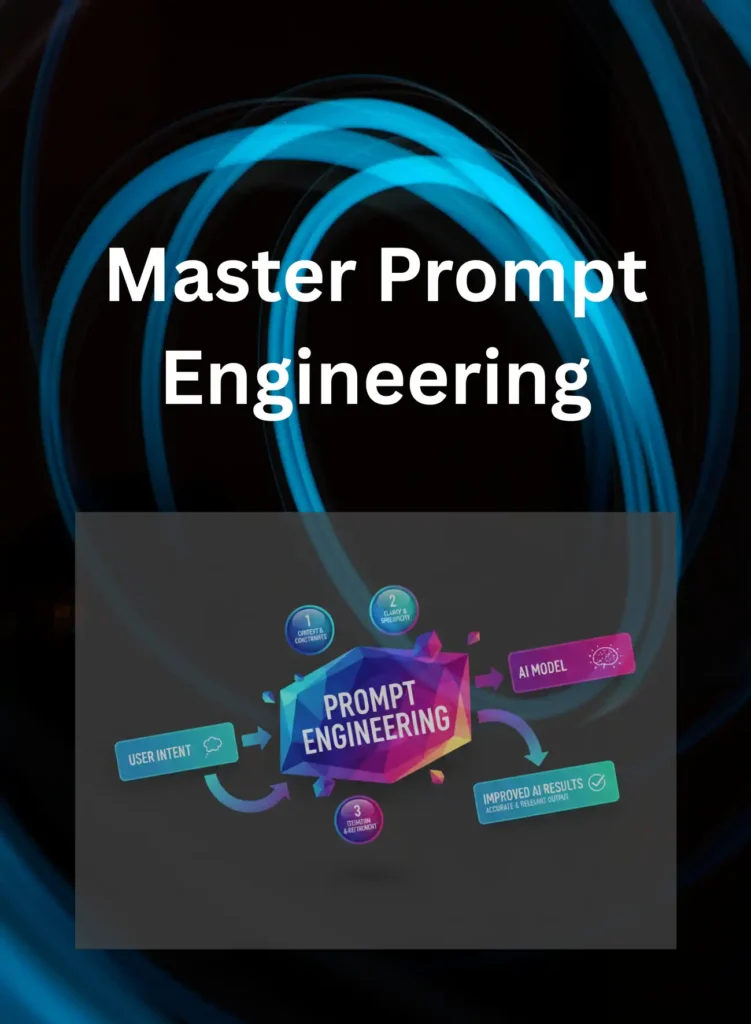
Master Prompt Engineering and Get Better AI Results
Introduction
When I first started using AI tools seriously — ChatGPT, GitHub Copilot, Microsoft Copilot — I was getting mediocre results. Vague answers. Generic responses. Code suggestions that missed the point entirely. And for a while, I assumed the tools were just… not that impressive.
Then I changed how I was asking.
That was the turning point. Not a new tool. Not a better model. Just a better prompt.
This is your practical, experience-driven prompt engineering guide. No fluff. No theory for theory’s sake. Just what actually works — and why.
Table of Contents
Prompt Engineering: What is it?
In its simplest form, prompt engineering is the art and science of refining the inputs we give to Large Language Models (LLMs) like ChatGPT, Claude, or GitHub Copilot to get the most accurate, high-quality output possible.
📌 In Simple Words
Think of prompt engineering as learning how to give instructions to an extremely capable but very literal assistant. If you are vague, it guesses. If you are specific, it delivers. The skill is in learning how to be specific in a way the AI understands
Prompt engineering is the practice of designing, structuring, and refining the instructions you give to an AI model in order to consistently get accurate, useful, and relevant responses.
That is it. But inside that simple definition lives an enormous amount of nuance.
❓ People Also Ask
What is the difference between using AI and prompt engineering?
Regular AI use is asking a question and accepting what comes back. Prompt engineering is deliberately designing your request — including context, format, constraints, and examples — to guide the AI toward a specific, high-quality output before you even submit the prompt. It is the difference between hoping and directing.
How Prompt Engineering Works
Role of AI Models
Modern AI systems like ChatGPT are based on Large Language Models (LLMs).
They don’t “think” like humans.
They:
- Predict patterns
- Analyze context
- Generate responses based on probability
📌What most articles miss:
AI doesn’t understand meaning deeply—it predicts what comes next based on your prompt.
Input vs Output Behavior
Think of prompt engineering like this:
| Input Quality | Output Quality |
|---|---|
| Vague prompt | Generic answer |
| Detailed prompt | Specific answer |
| Structured prompt | High-quality result |
❓ People also ask
Question: How does AI respond to prompts?
Answer: AI models analyze the input prompt, identify patterns, and generate responses based on learned data. The clarity and structure of the prompt directly influence how accurate and useful the output will be.
Types of Prompts You Should Know
Instruction Prompts
These are direct commands.
Example:
- “Write a blog introduction on AI trends”
📌Best for:
- Simple tasks
- Quick answers
Contextual Prompts
These provide background.
Example:
- “I am a beginner learning AI. Explain prompt engineering in simple terms.”
📌From my experience:
This is similar to requirement gathering in business analysis—context changes everything.
Role-Based Prompts
These assign a role to AI.
Example:
- “Act as a senior software architect and explain microservices.”
📌This reminds me of:
Working with different stakeholders—same question, different perspectives.
Core Prompt Engineering Techniques That Actually Work
This is where we get practical. These are not theoretical frameworks from a research paper. These are techniques I have used — and watched others use — on real enterprise projects with real consequences.
Zero-Shot vs Few-Shot Prompting
Zero-shot prompting is when you ask the AI to do something without giving it any examples. You are relying entirely on the model’s training to understand what you want.
📌Example:
“Summarise this customer complaint and identify the core issue.”
This works reasonably well for common tasks the model has encountered frequently in training. Summarisation, translation, basic explanation — these tend to work zero-shot.
Few-shot prompting is when you provide one or more examples of what you want before asking the model to do the actual task. You are essentially showing it the pattern.
📌Example:
“Here is an example of a summarised customer complaint and how I want the core issue identified:
Original complaint: [example] Summary: [example summary] Core issue: [example issue]
Now apply the same structure to this complaint: [new complaint]”
Chain of Thought Prompting Explained
Chain of thought prompting is one of the most powerful techniques in this guide, and one of the least used by people who are new to AI tools.
The idea is simple: instead of asking the AI for an answer directly, you instruct it to reason through the problem step by step before arriving at a conclusion.
Standard prompt: “What is the best way to structure a data migration from a legacy Oracle system to AWS RDS?”
Chain of thought prompt: “I need to migrate data from a legacy Oracle PL/SQL system to AWS RDS PostgreSQL. Walk me through your reasoning step by step — consider the data volume, schema differences, downtime constraints, and rollback strategy — before giving me a final recommendation.”
The output from the second prompt is not just longer. It is structurally better because the model is being asked to surface its reasoning, which forces it to consider factors it might otherwise skip in a direct answer.
Role-Based Prompting for Better Context
Role-based prompting is exactly what it sounds like: you assign the AI a specific role before asking your question. This dramatically shapes the tone, depth, and perspective of the response.
Without role assignment: “Explain Kafka message queuing.”
With role assignment: “You are a senior enterprise architect explaining Kafka message queuing to a business analyst who understands IT systems but has no deep messaging architecture experience. Explain the concept, the business value, and the key risks — without jargon where possible.”
The second prompt produces a response calibrated for the right audience, at the right depth, with the right emphasis. The role assignment does the framing work so you do not have to edit the output heavily after the fact.
How to Write Better AI Prompts Step by Step
Knowing the techniques is one thing. Knowing how to put them together into a consistently good prompt is another. Here is the process I actually follow.
Structure Your Instructions Clearly
A well-structured prompt has four components. You do not always need all four, but knowing them helps you identify what is missing when your output falls short.
1. Context — What is the situation? What does the AI need to know about the background?
2. Task — What specifically do you want it to do?
3. Format — How do you want the output structured? Bullet points? A table? A paragraph? A numbered list?
4. Constraints — What should the AI avoid? What length is appropriate? What tone is required?
📌Example prompt using all four:
“Context: I am a project manager preparing a status update for a non-technical executive steering committee. The project involves migrating legacy Java applications to a cloud-based microservices architecture on AWS.
Task: Write a three-paragraph executive summary of the project status.
Format: Three short paragraphs — progress to date, current risks, next milestone.
Constraints: No technical jargon. Maximum 150 words total. Confident and clear tone.”
This prompt will consistently produce a usable output. The unstructured version — “write an executive summary of my project status” — will produce something generic that requires significant rewriting.
Prompt Engineering Across Popular AI Tools
The core techniques apply universally. But each tool has its own behaviour, strengths, and quirks. Here is what I have learned using these tools on real projects.
ChatGPT Prompting Tips
ChatGPT is the most flexible of the mainstream AI tools for prompt engineering. It handles complex, multi-part prompts well, responds effectively to role assignments, and manages long context windows reasonably well in its current versions.
What works well with ChatGPT:
Using the system-level framing at the start of a conversation to set context you do not want to repeat. For example, opening with: “For this conversation, you are acting as a senior business analyst with enterprise IT experience. All responses should be written for a technical audience and formatted as structured documents unless I say otherwise.”
This persistent context saves time across a long conversation and produces more consistent outputs.
What to watch for:
ChatGPT has a tendency to be agreeable. If you push back on an answer — even when the original answer was correct — it will sometimes change its response to match your apparent preference rather than maintaining its assessment. When accuracy matters, ask it to explain its reasoning before accepting a changed answer.
📌 From my experience, ChatGPT performs best on generative tasks — drafting, summarising, explaining, restructuring. For highly domain-specific technical generation, I always validate the output against a human expert. The confidence of the output is not always proportional to its accuracy.
Microsoft Copilot Best Practices
Microsoft Copilot has the most immediate enterprise relevance because it operates inside tools your organisation already uses — Teams, Outlook, Word, Excel, PowerPoint.
📌 This reminds me of every ERP rollout I have managed. The technology is rarely the hard part. The hard part is that the tool only works as well as the data and processes it operates on. Copilot summarising a meeting in Teams is extraordinary — but only if the meeting was well-structured and the right people were speaking clearly. Copilot generating insights from an Excel dataset is powerful — but only if the data is clean and consistently formatted.
What works well with Copilot:
Meeting summarisation and action item extraction in Teams. Email drafting in Outlook where you provide a brief bullet list of the points you want to make and ask Copilot to expand them into a professional email. Slide generation in PowerPoint from a structured outline you have already created.
Key prompt approach for Copilot:
Be explicit about the output format and the audience. Copilot defaults to a professional register, which is usually appropriate — but specifying “executive audience, three bullet points maximum per slide” will consistently produce better PowerPoint output than leaving it to default judgment.
Google Gemini Prompt Strategies
Gemini is increasingly competitive with ChatGPT for general tasks and has strong integration with Google Workspace. Its multimodal capabilities — handling text, images, and documents — make it particularly useful for document-heavy workflows.
What works well with Gemini:
Document analysis and synthesis. If you are working across multiple documents — research papers, reports, meeting notes — Gemini handles multi-document context well. Prompts that ask it to synthesise across sources and identify patterns tend to produce strong outputs.
Prompt approach for Gemini:
Similar to ChatGPT — context, task, format, constraints. Where Gemini differentiates is in research and synthesis tasks. Prompts like “Review these three documents and identify where they agree, where they conflict, and what is missing” tend to play to its strengths.
Advanced Prompt Engineering Techniques
Once you have the fundamentals working, these techniques will take your output quality to another level.
Iterative Prompting and Refinement
The best prompt engineers do not write one prompt and accept the output. They treat the first response as a draft — a starting point for a refinement conversation.
The iterative process looks like this:
Round 1: Submit your initial structured prompt. Review the output.
Round 2: Identify what is close but not quite right. Submit a refinement: “The structure is good but the tone is too formal for this audience. Rewrite section two with a more conversational tone, keeping all the same content.”
Round 3: If needed, add further constraints: “Good — now tighten the whole piece to under 300 words without losing the key points.”
This process — initial prompt, targeted refinement, constraint-based tightening — consistently produces better output than trying to write the perfect prompt on the first attempt.
📌 From my experience, the best parallel is code review cycles. You do not write perfect code on the first pass. You write working code, review it, refine it, and improve it. Prompting works the same way. Build refinement into your process rather than expecting perfection from prompt one.
❓ People Also Ask How many times should I refine a prompt before it is good enough? There is no fixed number, but for most professional tasks, two to three refinement cycles is the practical range. After three iterations with minimal improvement, the issue is usually the model’s limitation on that specific task — not your prompting. At that point, try a different approach or a different tool.
Using Constraints and Formatting Instructions
Constraints are one of the most underused tools in prompt engineering. Most beginners focus on telling the AI what to do. Advanced prompt engineers are equally precise about telling it what not to do and what boundaries to operate within.
Useful constraint types:
Length constraints: “Maximum 200 words” / “No more than five bullet points” / “One paragraph only.”
Tone constraints: “Professional but not formal” / “Plain English, no jargon” / “Written for a C-suite audience.”
Content constraints: “Do not include implementation details” / “Focus only on business risk, not technical risk” / “Do not repeat points already made in the introduction.”
Format constraints: “Output as a markdown table” / “Use numbered steps” / “Return as a JSON object with fields: title, summary, risks.”
📌 From my experience in pharma projects, format constraints were particularly critical. Regulatory documentation has specific structural requirements. Prompting the AI with explicit format constraints — including required section headers, required fields, and maximum word counts per section — was the difference between output that needed light editing and output that needed complete rewriting.
Building Reusable Prompt Templates
Once you find a prompt structure that works for a recurring task, turn it into a template. This is the productivity multiplier that most people miss entirely.
A prompt template is simply a structured prompt with placeholder variables that you fill in each time.
Example template for executive status updates:
Context: I am a [ROLE] preparing a status update for [AUDIENCE].
The project is [PROJECT NAME] which involves [ONE SENTENCE DESCRIPTION].

Task: Write a [LENGTH] executive summary covering:
- Progress to date
- Current risks or blockers
- Next milestone and target date

Format: [NUMBER] short paragraphs.

Constraints: No technical jargon. Confident tone. Maximum [WORD COUNT] words total.
Each time you need a status update, you fill in the variables and submit. The structural thinking is already done. The output quality is consistent.
📌 From My Experience I maintain a personal library of prompt templates for the tasks I do repeatedly — status updates, code review requests, meeting agenda creation, document summarisation. Building this library took some initial investment, but it has paid back many times over in consistent, high-quality outputs without having to reconstruct the prompt structure from scratch each time.
❓ People Also Ask
Can I save and reuse prompts across AI tools?
Yes — and you should. Well-structured prompt templates are largely transferable across tools. The core structure of context, task, format, and constraints works in ChatGPT, Copilot, and Gemini. Individual tools may respond slightly differently, but a good template requires only minor adjustment rather than a full rewrite. Store your templates in a simple document or notes app for easy access.
Best Practices for Prompt Engineering
Be Clear and Specific
Bad prompt:
- “Explain AI”
Good prompt:
- “Explain AI in simple terms with 3 real-world examples”
📌From my experience:
Clarity is everything—whether writing SQL queries or AI prompts.
Use Examples
AI performs better when you show it what you want.
Example:
- “Write a product description like this: [example]”
Iterate and Optimize
Prompt engineering is not one-shot.
It’s:
- Try
- Improve
- Refine
📌When I first encountered this:
It felt like debugging code—you keep refining until it works perfectly.
❓ People also ask
Question: How can I improve my AI prompts?
Answer: Improve AI prompts by being specific, adding context, using examples, and refining inputs based on results. Iteration helps achieve more accurate and useful responses.
Common Mistakes to Avoid
Vague Instructions
Bad:
“Tell me about business”
Good:
“Explain 3 business strategies for startups in simple language”
Overloading Prompts
Too much information confuses AI.
📌From my experience:
This is like overloading a requirement document—clarity gets lost.
❓ People also ask
Question: What are common prompt engineering mistakes?
Answer: Common mistakes include vague instructions, too much information, lack of context, and unclear objectives. These reduce the quality and relevance of AI responses.
Real-World Use Cases
Content Creation
- Blog writing
- Social media posts
- Email drafting
I personally use prompt engineering to:
- Structure blog outlines
- Improve writing quality
- Generate ideas faster
Coding and Debugging
Tools like GitHub Copilot benefit heavily from good prompts.
Example:
- “Fix this Python code and explain the error”
Business Automation
In enterprise environments:
- Report generation
- Data analysis
- Customer support
📌From my experience working across telecom and retail domains:
AI + good prompts can reduce manual work dramatically.
❓ People also ask
Question: Where is prompt engineering used in real life?
Answer: Prompt engineering is used in content creation, coding, customer support, data analysis, and business automation. It helps improve AI efficiency across multiple real-world applications.
Conclusion
If there’s one thing I’ve learned after decades in IT and now diving deep into AI, it’s this:
The future belongs to those who know how to ask better questions.
Prompt engineering isn’t just a skill—it’s a superpower in the AI era.
📌Start today:
- Try one structured prompt
- Add context
- Refine your input
You’ll be amazed at the results.
FAQ
❓ What is a prompt engineering guide?
A prompt engineering guide helps users understand how to write effective inputs for AI tools. It includes techniques, examples, and best practices to improve the accuracy and usefulness of AI-generated outputs.
❓ How do beginners start prompt engineering?
Beginners can start by writing clear and specific prompts, adding context, and experimenting with different formats. Practicing regularly and refining prompts based on results is key to improvement.
❓ Why is prompt engineering important?
Prompt engineering ensures better AI results by guiding the model with structured inputs. It reduces errors, improves accuracy, and helps users get more relevant and useful responses.
❓ Can prompt engineering improve AI accuracy?
Yes, well-crafted prompts significantly improve AI accuracy. Clear instructions, examples, and context help AI models generate more precise and relevant outputs.
❓ Is prompt engineering a technical skill?
Not necessarily. While technical knowledge helps, prompt engineering is more about communication and clarity. Anyone can learn it with practice.
About the Author
I’ve worked with technologies ranging from Oracle Forms to modern cloud platforms like AWS and streaming tools like Kafka.
Today, I’m deeply focused on:
- Generative AI
- Prompt engineering
- AI productivity tools
What excites me the most?
Breaking down complex technologies into simple, practical insights that anyone can apply.
Because in the end—technology should empower, not confuse.
Also visit my blog page on ” Know it all series for what is AI ” which covers detailed explanation of AI.